DomainKeys Identified Mail, or DKIM, is an email authentication standard that helps prevent phishing, email spoofing, spamming, and other email-based cyber attacks. It verifies and validates the email, and lets the recipient know that the email originated from a particular organization. Emails sent through SendGrid are verified once DKIM signing is enabled on all outgoing emails. This way, no malicious group or individual can impersonate the organization and send emails on its behalf.
For detailed information on DomainKeys Identified Mail, read more on What is DKIM?
Follow the mentioned steps to setup DKIM on Sendgrid for your custom domain :
- Go to the Sendgrid dashboard and log in to your account here.
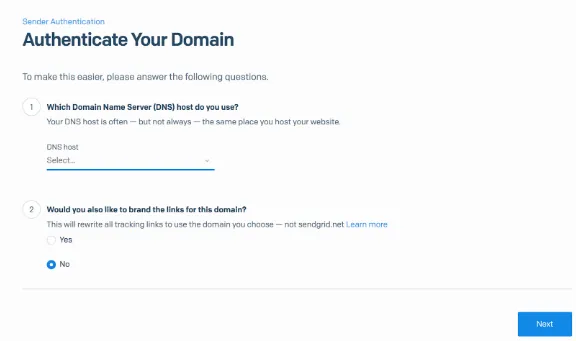
- Navigate to ‘Settings > Sender Authentication > Authenticate Your Domain’. Choose your DNS server and click on ‘Next’.
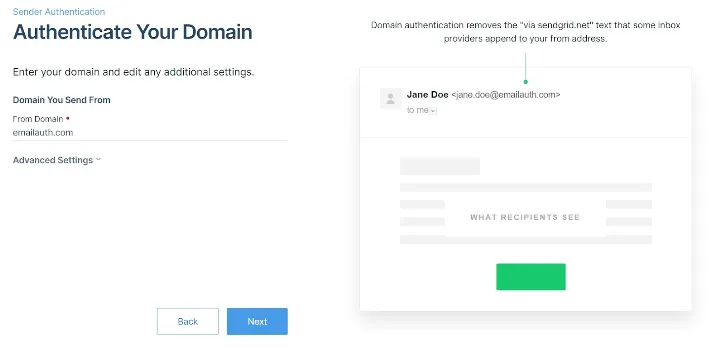
- Choose the domain name you would like to authenticate and click on ‘Next’.
- Choose the CNAME records which will be shown and publish the DNS records.
You have now successfully set up DKIM for Sendgrid!